Solitaire: Big Card Games
- 4.6
- Rating
- 500.00K
- Installs
- Free
- Price
 Analysis by App-foxy
I usually turn to solitaire when I want something quiet, familiar, and easy to pause. Solitaire: Big Card Games fits that mood closely: it is a free card game from Card Games, Inc designed around a straightforward solitaire experience rather than a large collection of distractions. I found it most appealing during short breaks, when I wanted to focus on one small puzzle without learning complicated rules or committing to a long session.
The game is aimed at a broad audience, including older players who may prefer a calmer way to exercise attention. Its Everyone content rating also makes it suitable for a household device shared by different age groups. That does not mean every player will love it. People looking for competitive matches, elaborate progression, or a constantly changing set of card games may find the experience too focused. My view is that this is best judged as a simple, accessible solitaire companion, not as an all-purpose card-gaming platform.
How I Would Decide Whether It Fits
Before choosing a solitaire app, I think about three practical questions: how quickly I can start a hand, how comfortable the cards are to read and move, and whether the game gives me a relaxing reason to return. Those points matter more here than flashy presentation. The store’s short description is simply “Solitaire,” and that directness matches the experience: the appeal comes from playing familiar card layouts, not from discovering a deep collection of unrelated systems.
You May Also Like

 Blood Strike: 2.5 Anniversary
Blood Strike’s Loadouts Turn Every Drop Into a Tactical Gamble
A close look at Blood Strike’s custom loadouts: how fast access to signature weapons reshapes its battle royale rhythm, rewards preparation, and narrows the gap between fights.

 Pandora - Music & Podcasts
Pandora’s Music Is Easy to Start, but Harder to Recover
Pandora’s strength is its low-effort path from a seed to a station. Its weak spot is how much confidence it asks you to place in connection, setup, and quiet recovery.

 8 Ball Pool
 Is Built on Rivalries, Rematches, and Routine
A close look at the rivalries, rematches, shared routines, and unanswered safety questions that turn a quick pool match into a persistent mobile community.

 Samsung Music
’s Quiet Strength Is Playing What You Already Own
Its reach comes less from spectacle than from dependable access to a personal library. That simplicity is both the app’s strongest retention engine and its ceiling.

 AccuWeather: Weather Radar
AccuWeather Review: A Quick, Clear Forecast for Everyday Decisions
For everyday plans, the best forecast is the one you can understand quickly. AccuWeather makes rain timing, radar, and local conditions easy to act on, with a few trade-offs.

 Hill Climb Racing
Why Hill Climb Racing Still Turns Crashes Into One More Run
A tiny car, a bumpy hill and one more upgrade: Hill Climb Racing keeps resurfacing because its simple chaos makes every near-miss feel personal.
More From Our News Desk



The game was released on September 22, 2023, and its current version is 1.3.1. It runs on Android 6.0 or later, which makes it accessible on many older devices as well as newer phones and tablets. I would still check the device’s screen size before deciding how comfortable it will be. Large-card design is especially valuable on a phone held in one hand, while a tablet can make the same type of play feel much less cramped.
Its audience numbers suggest that it has found a meaningful group of players: it has passed 100K installs, with an average rating of 4.6 from around 3.7K ratings. Those figures do not tell me whether it will suit my personal habits, but they do make it easier to treat the game as an established option rather than an obscure experiment. The developer, Card Games, Inc, has kept the concept easy to understand, which is useful if I am recommending it to someone who does not want to spend time configuring a complicated card app.
What I Look For in a Relaxing Solitaire Game
For me, relaxation depends on reducing friction. I want to recognize the rules immediately, see the available cards without straining, and make a move without worrying that the app is demanding too much attention. A good solitaire session can fill a few minutes while waiting for an appointment, or it can become a longer mental break after work. The important point is that the game should let me choose the pace.
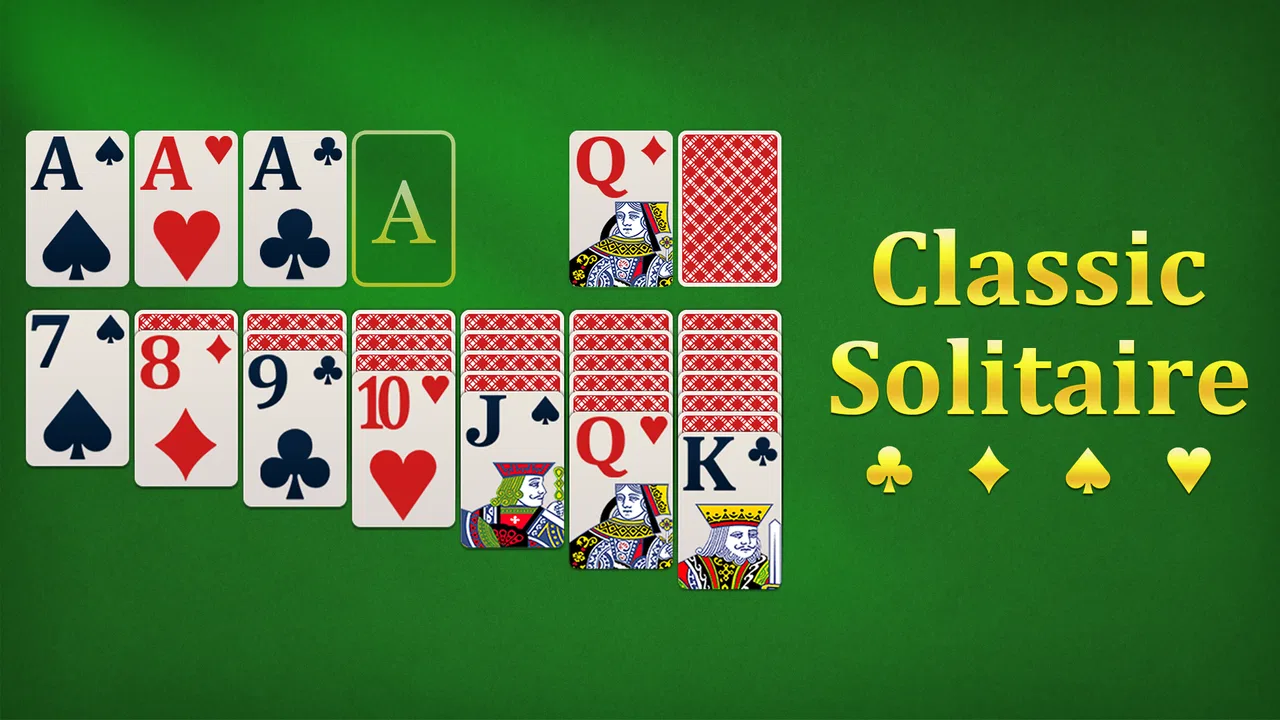
This is where the focus on big cards matters. It is not merely a visual preference. Larger card faces can make suits and ranks easier to distinguish, especially for players with tired eyes or for anyone using a smaller phone. They also reduce the hesitation that comes from tapping the wrong card. I would recommend holding the device at the distance I normally use before deciding whether the layout feels comfortable; a design that looks clear in a screenshot may still feel tight when played one-handed.
Another useful test is whether I can stop in the middle of a hand without losing the reason I opened the game. Solitaire works well for interrupted play because each move is self-contained. I can play while waiting for a kettle to boil, pause when a message arrives, and return when I have a moment. That makes it a better fit for fragmented daily time than a card game that expects a complete match.
Where This Version Wins
The strongest part of this game is its narrow purpose. I do not have to learn a new card system before playing, and I do not need to understand a complicated reward structure to enjoy a hand. That simplicity is particularly helpful for seniors or for anyone who wants a gentle brain-training routine without the pressure associated with timed challenges or online opponents.
I also like the way solitaire creates a small planning exercise without feeling like homework. Each move asks me to consider what it reveals, what it blocks, and whether I am spending an available option too early. The mental benefit comes from making those decisions at my own speed. If I am tired, I can play cautiously; if I want more focus, I can examine the layout and think several moves ahead.
A realistic everyday use case would be an older family member using a phone after breakfast. Instead of opening a social feed filled with interruptions, they can spend a few minutes arranging cards and then put the device down. The game’s familiar format lowers the learning barrier, while the larger-card emphasis can make the activity more approachable than a visually dense card app. I would also suggest it for someone recovering from a busy day who wants a screen activity that is engaging but not emotionally demanding.
The free price is another clear advantage. I can try it without making a financial commitment, which is important for a basic card game because the difference between “pleasant enough” and “worth keeping” is personal. A free download also makes it easier to recommend to a relative who may not want to pay before knowing whether the card size and pacing feel right on their device.
The real strength is not novelty; it is the low effort required to begin a thoughtful, quiet hand. That distinction matters. If I compare it with a visually spectacular game, it will look modest. If I compare it with the need for a dependable five-minute mental break, its restraint becomes a benefit.
Small Habits That Make the Experience Better
I found that the best way to use a simple solitaire game is to give each session a purpose. When I am only trying to relax, I avoid rushing moves just to finish. When I want more mental stimulation, I pause before opening a column and consider whether the move will create useful space later. This turns an ordinary hand into a light planning exercise without requiring a separate training mode.
A second useful habit is to play in consistent conditions. Bright glare on a phone screen can make card symbols harder to read, so I would adjust the viewing angle before blaming the layout. On a smaller handset, using two hands for important moves can also be more reliable than trying to drag everything with one thumb. These are small changes, but they matter more in a card game than they would in a passive reading app.
I would also use the game as a transition between tasks rather than as background entertainment. One deliberate hand after finishing work can provide a clearer stopping point than endlessly scrolling. For seniors, a family member could introduce it by playing alongside them for the first few sessions, not because the rules are difficult, but because a shared routine makes a new app feel less intimidating.
There is a trade-off in this approach. A calm solitaire app can become repetitive if I expect constant rewards or new content. I would keep it installed for short sessions, not assume it must replace every other form of entertainment. Its value rises when I want a familiar activity and falls when I need variety.
Where Another Type of App May Fit Better
Someone who wants online competition should look elsewhere. A focused solitaire game is not the right category for players who enjoy matching against live opponents, comparing results with friends, or feeling the tension of a multiplayer round. Those experiences depend on social systems and competitive pacing, while this game’s appeal is the opposite: quiet concentration without another player influencing the outcome.
It may also be a poor choice for people who want many card variants in one download. A broader card-game collection can be more suitable if I regularly switch between solitaire styles, freecell-like puzzles, spider-style layouts, or traditional games for several players. I would accept the extra menus and learning time in exchange for variety. With this title, I would choose it because I want solitaire specifically, not because I expect a complete card library.
Players who enjoy deep progression may feel similarly limited. Some card games build their appeal around missions, unlockable designs, daily goals, or elaborate customization. Those systems can create a stronger reason to return, but they can also add pressure and clutter. If my priority is a clean break from notifications and achievement chasing, the simpler direction here is preferable. If I need long-term goals to stay interested, a more feature-heavy alternative may hold my attention better.
There is also a practical accessibility question. The game’s Everyone rating makes it broadly approachable, but age suitability is not the same as perfect usability for every person. A player with significant vision, motor, or cognitive needs should try the controls personally, ideally on the device they will use most. Big cards can help with recognition, yet the overall comfort still depends on screen size, touch accuracy, and how easily the player can distinguish the suits.
What Switching Involves
Moving from a familiar solitaire app to this one should be relatively easy if the main attraction is the classic card format. I would not expect a long learning period because the basic activity is recognizable. The bigger adjustment is deciding whether this version’s presentation and pace feel better than the app already on the phone. That is why I would test it during the exact situation in which I normally play: a short wait, a quiet evening, or a morning routine.
The cost of switching is less about money and more about habit. If I have spent time building a record, learning a particular interface, or becoming attached to a certain visual style elsewhere, a simpler app may not feel like an immediate upgrade. Conversely, if my current game is cluttered or difficult to read, trying this free option is a low-risk way to see whether a more direct experience suits me better.
I would not uninstall the existing app immediately. I would keep both available for a few days and compare them by use case. This game could become the choice for relaxed, interruption-friendly sessions, while a broader alternative remains useful when I want different rules or more elaborate goals. That approach avoids treating the decision as all or nothing.
For someone choosing a first solitaire game, the decision is easier. The free price removes the main financial barrier, the Everyone rating supports family use, and the Android 6.0 minimum means older compatible devices are not automatically excluded. I would still pay attention to whether the card presentation is comfortable and whether the straightforward format offers enough variety for the intended player.
My Recommendation for Different Players
I recommend it to seniors who want a familiar card activity, to casual players who prefer quiet sessions, and to anyone looking for a simple way to occupy a few spare minutes. I also think it is a sensible choice for a shared family tablet, provided the people using it enjoy solitaire and do not need competitive features. The combination of free access and an accessible concept makes experimentation easy.
I would be more cautious about recommending it to a dedicated card-game enthusiast. If you judge an app by the number of variants, advanced settings, social features, or long-term progression systems, this focused experience may feel too limited. The same applies to players who quickly lose interest unless every session introduces something new.
My final choice would depend on the role I want the app to play. As a replacement for a noisy, overcomplicated card app, it has a convincing case. As a complete entertainment package for someone who wants endless variety, it is less persuasive. I appreciate that it does not need to pretend to be something larger than a relaxing solitaire game.
With a 4.6 average and more than 100K installs, it has enough user adoption to merit a trial, but I would make the decision based on comfort rather than popularity alone. The current version, 1.3.1, is available free for compatible Android devices, and the low commitment makes testing straightforward. I would install it, play several hands in my normal setting, and keep it if the cards are easy to read and the calm pace feels natural.
In the end, Solitaire: Big Card Games is a good recommendation when the goal is uncomplicated card play with an accessible feel. I would choose it for a quiet break, a gentle daily routine, or a relative who wants something familiar without a steep learning curve. I would skip it in favor of a broader or more social alternative when variety and competition matter more than simplicity.
FAQs for Solitaire: Big Card Games
01What features does Solitaire: Big Card Games offer?
Solitaire: Big Card Games provides a classic solitaire experience with enhanced visuals and intuitive controls. It features multiple game modes, such as Klondike, Spider, and FreeCell, all designed to cater to various skill levels. Additionally, the app includes daily challenges, customizable card designs, and relaxing background music to enhance gameplay.
02Is Solitaire: Big Card Games free to play?
Yes, Solitaire: Big Card Games is free to download and play. However, it includes optional in-app purchases and ads. Users can choose to purchase premium features or ad-free gameplay. These options are entirely optional and designed to enhance the user experience without being intrusive.
03How user-friendly is the app for beginners?
The app is highly user-friendly, featuring a simple interface that guides new players through the basics of solitaire. Tutorials and hints are available to help beginners understand the rules and strategies. The game also adapts to each user’s skill level, making it accessible to both novices and seasoned players.
04Can I play Solitaire: Big Card Games offline?
Yes, Solitaire: Big Card Games can be played offline, making it a great option for users who want to enjoy the game without an internet connection. However, some features, like daily challenges and leaderboard updates, require an internet connection to access fully.
05Does Solitaire: Big Card Games support multiple languages?
Yes, the app supports multiple languages, enhancing its accessibility for international users. Language options can be adjusted in the settings menu, allowing players to enjoy the game in their preferred language, making it easier for non-English speakers to navigate and play.
Pros
- Engaging gameplay with simple mechanics.
- Customizable card decks and backgrounds.
- Smooth performance on most devices.
- Offline mode available for uninterrupted play.
- Regular updates with new features.
Cons
- Ads can be intrusive during gameplay.
- Limited free customization options.
- No multiplayer mode available.
- In-app purchases can be pricey.
- Some features require internet connection.

Solitaire: Big Card Games
Gallery